
How to wire your Astrodome area media room for the ultimate theater experience
Building the perfect home theater starts with the infrastructure you cannot see. Professional wiring determines whether your system delivers crisp audio, reliable video, and safe operation for years. This guide explains how to plan and execute a media room wiring project in the Astrodome area that meets Houston building codes and delivers theater-quality performance. Houston Building Inspections.
Why professional wiring matters for Houston home theaters
A home theater places extreme demands on your electrical system. Large projection screens, high-powered surround sound, and streaming devices can draw more power than standard outlets were designed to handle. In Houston’s humid climate, poor wiring choices can lead to overheating, signal interference, or even fire hazards. Professional installation ensures your system runs safely and efficiently while meeting all National Electrical Code requirements. National Electrical Code.
Key components of a professional media room wiring plan
Professional media room wiring involves several critical elements that work together. Each component must be selected and installed to handle the specific demands of modern home entertainment systems. Protect Your Tech With Professional Whole House Surge Protection in Cypress.
Dedicated power circuits
Media equipment requires stable, isolated power. A dedicated 20-amp circuit prevents interference from other household appliances and reduces the risk of tripped breakers during movie nights. This circuit should use 12-gauge wire and include a high-quality surge protector at the panel. Three-Phase Power Services.
In-wall speaker and HDMI wiring
Professional installations use CL2 or CL3 rated cables for in-wall speaker wiring. These fire-resistant cables meet building code requirements for concealed spaces. HDMI cables should be certified for 4K or 8K signals depending on your display technology. Proper shielding prevents electromagnetic interference from Houston’s high humidity and nearby electrical devices. The Top Rated Licensed Electricians Serving the River Oaks Area.
Structured wiring enclosure
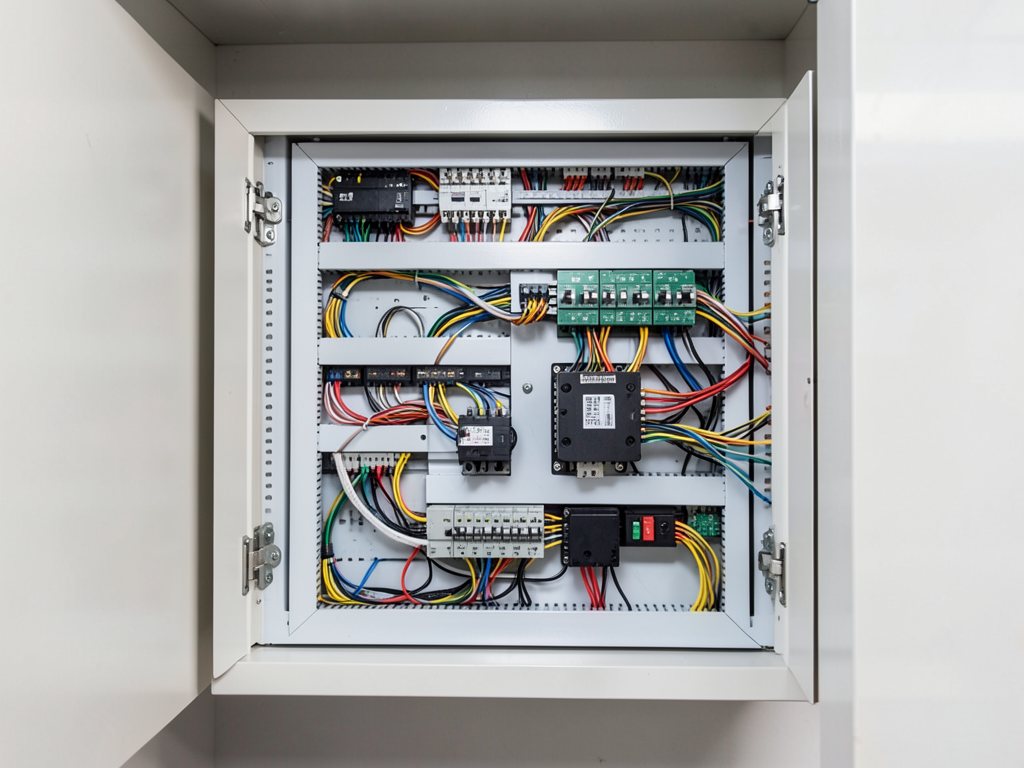
A structured wiring panel organizes all low-voltage connections in one location. This central hub makes troubleshooting easier and allows for future upgrades. The enclosure should be mounted in a cool, dry location away from heat sources and direct sunlight.
Planning your Astrodome area media room wiring
Successful media room wiring starts with careful planning. Consider your room’s layout, equipment needs, and future expansion possibilities before running any cables.. Read more about How to protect your home office equipment in The Woodlands from sudden voltage spikes.
Assessing your power requirements
Calculate the total power draw of your planned equipment. A typical home theater might need 15-20 amps for the AV rack alone. Add 20% capacity for future upgrades. This calculation determines how many dedicated circuits you need and what gauge wiring to use.
Choosing the right cable types
Different applications require specific cable types. Use Cat6 or Cat7 for network connections to support 4K streaming. Choose HDMI 2.1 cables for 8K video and high refresh rates. Speaker wire gauge depends on distance – use 14-gauge for runs under 50 feet and 12-gauge for longer distances.
Planning cable routes
Map out where each cable needs to go before cutting any drywall. Consider future furniture arrangements and equipment upgrades. Run extra cables for flexibility – it costs little more during installation but saves major headaches later.
Houston-specific wiring considerations
The Astrodome area presents unique challenges for home theater wiring. Understanding these local factors helps you avoid common problems.
Humidity and heat management
Houston’s high humidity can damage electronics and degrade cable insulation over time. Use moisture-resistant cable jackets and ensure proper ventilation in equipment closets. Consider active cooling for enclosed AV racks. Electrical Houston.
Building code compliance
Houston follows the National Electrical Code with local amendments. All in-wall wiring must be properly rated and installed according to code. Permits are required for new circuits and major electrical work. Professional installers handle permitting and inspections.
Surge protection for coastal storms
The Astrodome area experiences occasional power surges from coastal storms. Install whole-home surge protection at your main panel and use point-of-use protectors for sensitive AV equipment. This two-layer approach provides the best protection.
Step-by-step installation process
- Plan and design
Measure your space, list all equipment, and create a wiring diagram. Mark stud locations and plan cable routes.
- Install dedicated circuits
Run new 12-gauge circuits from your panel to the media room. Install proper outlets and surge protection.
- Pull in-wall cables
Run speaker wires, HDMI cables, and network cables through walls using proper fishing techniques.
- Mount equipment
Install projector mounts, TV brackets, and equipment racks. Ensure proper weight distribution.
- Connect and test
Connect all devices, test signal quality, and verify proper operation of all components.
Common wiring mistakes to avoid
Even experienced DIYers make costly mistakes when wiring media rooms. Understanding these pitfalls helps you avoid them.
Undersized power circuits
Standard 15-amp circuits cannot handle modern home theater equipment. Overloaded circuits cause tripped breakers and potential fire hazards. Always use dedicated 20-amp circuits for media rooms.
Improper cable routing
Running low-voltage cables parallel to power lines causes interference. Maintain at least six inches of separation. Never run cables through air handling spaces unless they are specifically rated for that use.
Insufficient future capacity
Technology changes rapidly. Install extra conduit and pull additional cables during initial installation. Adding cables later often requires cutting into finished walls.
Cost factors for Astrodome area media room wiring
Several factors affect the cost of professional media room wiring in the Astrodome area. Understanding these helps you budget appropriately.
Labor considerations
Professional installation typically costs $75-125 per hour in the Astrodome area. Complex installations with multiple dedicated circuits and extensive in-wall wiring require more labor hours.
Material costs
Quality cables and components cost more upfront but provide better performance and longevity. Budget $2-5 per foot for HDMI cables, $0.50-1.00 per foot for speaker wire, and $50-100 for structured wiring panels.
Permit fees
Houston requires permits for new electrical circuits. Permit fees typically range from $50-200 depending on the scope of work. Your electrician handles permit acquisition and inspections.
Choosing the right professional
Media room wiring requires specialized knowledge beyond basic electrical work. Look for these qualifications when selecting a professional.
Proper licensing
Choose a licensed electrician with experience in low-voltage systems. They should understand both power distribution and signal integrity requirements for home theaters.
Insurance and bonding
Verify that your electrician carries proper insurance. This protects you if damage occurs during installation. Ask for proof of current insurance coverage.
References and portfolio
Request examples of previous media room installations. Look for projects similar in scope to yours. Check online reviews specifically mentioning home theater work.
Future-proofing your installation
Technology evolves rapidly. Plan your installation to accommodate future upgrades without major reconstruction.
Conduit installation
Install empty conduit during initial wiring. This allows you to pull new cables later without cutting walls. Use 1-inch or larger conduit for flexibility.
Network infrastructure
Install Cat6 or Cat7 network cabling even if you don’t need it immediately. Future 4K and 8K streaming will require robust network connections.
Power capacity
Install more dedicated circuits than you currently need. Adding circuits later is much more expensive than installing them during initial construction.. Read more about Installing a high end wine cellar cooling system in your Tanglewood estate.
Maintenance and troubleshooting
Even professionally installed systems need occasional maintenance. Understanding basic troubleshooting helps you identify problems early.
Regular inspections
Check connections annually for tightness and signs of corrosion. Houston’s humidity can cause connections to loosen over time. Tighten any loose connections.
Signal testing
Test HDMI and network connections periodically. Signal degradation often occurs gradually. Early detection prevents major disruptions during important events.
Surge protector maintenance
Replace surge protectors every 2-3 years or after major storms. Many protectors have indicator lights that show when protection is no longer effective.
Comparing DIY vs. professional installation
Understanding the differences helps you make the right choice for your project.
| Factor | DIY Installation | Professional Installation |
|---|---|---|
| Cost | $500-1,500 | $2,000-5,000+ |
| Code compliance | Often non-compliant | Always compliant |
| Safety | Risk of fire/electrocution | Safe and tested |
| Warranty | None | Workmanship guaranteed |
| Future support | None | Available for upgrades |
Frequently Asked Questions
How long does professional media room wiring take?
Most installations require 2-4 days depending on complexity. Simple projects with existing power might take one day. Complex installations with new circuits and extensive in-wall work require more time.
Can I use existing outlets for my home theater?
Standard outlets are not recommended for home theaters. They often share circuits with other devices, causing interference and potential overloads. Dedicated circuits provide clean, stable power.
What permits are required in Houston?
Houston requires electrical permits for new circuits and major wiring work. Your electrician should handle permit acquisition and coordinate inspections with the city.
How much does it cost to wire a home theater in the Astrodome area?
Professional installation typically costs $2,000-5,000 depending on room size, equipment complexity, and whether new circuits are needed. Simple projects might cost less, while complex installations with extensive in-wall work cost more.
Can I add wiring to an existing home theater?
Yes, existing installations can be upgraded. However, adding cables to finished walls is more difficult and expensive than installing them during initial construction. Consider running conduit for future flexibility.
Get your Astrodome area media room wired right
Professional media room wiring transforms your entertainment experience while ensuring safety and reliability. The right installation prevents problems before they start and supports your equipment for years to come.
Don’t risk your home theater investment with DIY wiring or inexperienced installers. Professional electricians understand the unique challenges of Houston’s climate and building codes. They ensure your system performs flawlessly from day one.
Ready to start your media room project? Call Titan Electricians Houston at (281) 552-7811 for a free consultation. We’ll assess your needs, explain your options, and provide a detailed quote for professional media room wiring in the Astrodome area. Your perfect home theater experience starts with the right wiring foundation.
You may also find this helpful. Checking if your Gulfton apartment building is properly grounded (And why it matters for your electronics).
You may also find this helpful. Creating the ultimate outdoor entertainment space in Memorial with weather proof audio and video.
{
“@context”: “https://schema.org”,
“@type”: “BlogPosting”,
“headline”: “How to wire your Astrodome area media room for the ultimate theater experience”,
“description”: “Learn professional media room wiring in the Astrodome area. Get expert tips on dedicated circuits, in-wall cabling, and Houston electrical code compliance.”,
“wordCount”: 1604,
“datePublished”: “2026-04-15T09:44:00.000Z”,
“dateModified”: “2026-04-15T09:44:00.000Z”,
“inLanguage”: “en-US”,
“mainEntityOfPage”: {
“@type”: “WebPage”,
“@id”: “https://titanelectricianshouston.com”
},
“publisher”: {
“@type”: “LocalBusiness”,
“name”: “Titan Electricians Houston”,
“url”: “https://titanelectricianshouston.com”
},
“author”: {
“@type”: “Organization”,
“name”: “Titan Electricians Houston”,
“url”: “https://titanelectricianshouston.com”
},
“image”: {
“@type”: “ImageObject”,
“url”: “https://titanelectricianshouston.com/wp-content/uploads/2026/03/how-to-wire-your-astrodome-area-media-room-for-the-1.png”
}
}
{
“@context”: “https://schema.org”,
“@type”: “Electrician”,
“name”: “Titan Electricians Houston”,
“url”: “https://titanelectricianshouston.com”,
“address”: {
“@type”: “PostalAddress”,
“addressLocality”: “Houston”
},
“areaServed”: {
“@type”: “City”,
“name”: “Houston”
}
}
{
“@context”: “https://schema.org”,
“@type”: “FAQPage”,
“mainEntity”: [
{
“@type”: “Question”,
“name”: “How long does professional media room wiring take?”,
“acceptedAnswer”: {
“@type”: “Answer”,
“text”: “Most installations require 2-4 days depending on complexity. Simple projects with existing power might take one day. Complex installations with new circuits and extensive in-wall work require more time.”
}
},
{
“@type”: “Question”,
“name”: “Can I use existing outlets for my home theater?”,
“acceptedAnswer”: {
“@type”: “Answer”,
“text”: “Standard outlets are not recommended for home theaters. They often share circuits with other devices, causing interference and potential overloads. Dedicated circuits provide clean, stable power.”
}
},
{
“@type”: “Question”,
“name”: “What permits are required in Houston?”,
“acceptedAnswer”: {
“@type”: “Answer”,
“text”: “Houston requires electrical permits for new circuits and major wiring work. Your electrician should handle permit acquisition and coordinate inspections with the city.”
}
},
{
“@type”: “Question”,
“name”: “How much does it cost to wire a home theater in the Astrodome area?”,
“acceptedAnswer”: {
“@type”: “Answer”,
“text”: “Professional installation typically costs $2,000-5,000 depending on room size, equipment complexity, and whether new circuits are needed. Simple projects might cost less, while complex installations with extensive in-wall work cost more.”
}
},
{
“@type”: “Question”,
“name”: “Can I add wiring to an existing home theater?”,
“acceptedAnswer”: {
“@type”: “Answer”,
“text”: “Yes, existing installations can be upgraded. However, adding cables to finished walls is more difficult and expensive than installing them during initial construction. Consider running conduit for future flexibility.”
}
}
]
}
{
“@context”: “https://schema.org”,
“@type”: “HowTo”,
“name”: “How to install media room wiring”,
“step”: [
{
“@type”: “HowToStep”,
“position”: 1,
“name”: “Plan and design”,
“text”: “Measure your space, list all equipment, and create a wiring diagram. Mark stud locations and plan cable routes.”
},
{
“@type”: “HowToStep”,
“position”: 2,
“name”: “Install dedicated circuits”,
“text”: “Run new 12-gauge circuits from your panel to the media room. Install proper outlets and surge protection.”
},
{
“@type”: “HowToStep”,
“position”: 3,
“name”: “Pull in-wall cables”,
“text”: “Run speaker wires, HDMI cables, and network cables through walls using proper fishing techniques.”
},
{
“@type”: “HowToStep”,
“position”: 4,
“name”: “Mount equipment”,
“text”: “Install projector mounts, TV brackets, and equipment racks. Ensure proper weight distribution.”
},
{
“@type”: “HowToStep”,
“position”: 5,
“name”: “Connect and test”,
“text”: “Connect all devices, test signal quality, and verify proper operation of all components.”
}
],
“image”: “https://titanelectricianshouston.com/wp-content/uploads/2026/03/how-to-wire-your-astrodome-area-media-room-for-the-1.png”
}
{
“@context”: “https://schema.org”,
“@type”: “BreadcrumbList”,
“itemListElement”: [
{
“@type”: “ListItem”,
“position”: 1,
“name”: “Home”,
“item”: “https://titanelectricianshouston.com”
},
{
“@type”: “ListItem”,
“position”: 2,
“name”: “Blog”,
“item”: “https://titanelectricianshouston.com/blog”
},
{
“@type”: “ListItem”,
“position”: 3,
“name”: “How to wire your Astrodome area media room for the ultimate theater experience”
}
]
}
{
“@context”: “https://schema.org”,
“@type”: “Service”,
“serviceType”: “Electricians”,
“provider”: {
“@type”: “LocalBusiness”,
“name”: “Titan Electricians Houston”,
“url”: “https://titanelectricianshouston.com”
},
“areaServed”: {
“@type”: “City”,
“name”: “Houston”
},
“description”: “Learn professional media room wiring in the Astrodome area. Get expert tips on dedicated circuits, in-wall cabling, and Houston electrical code compliance.”
}