
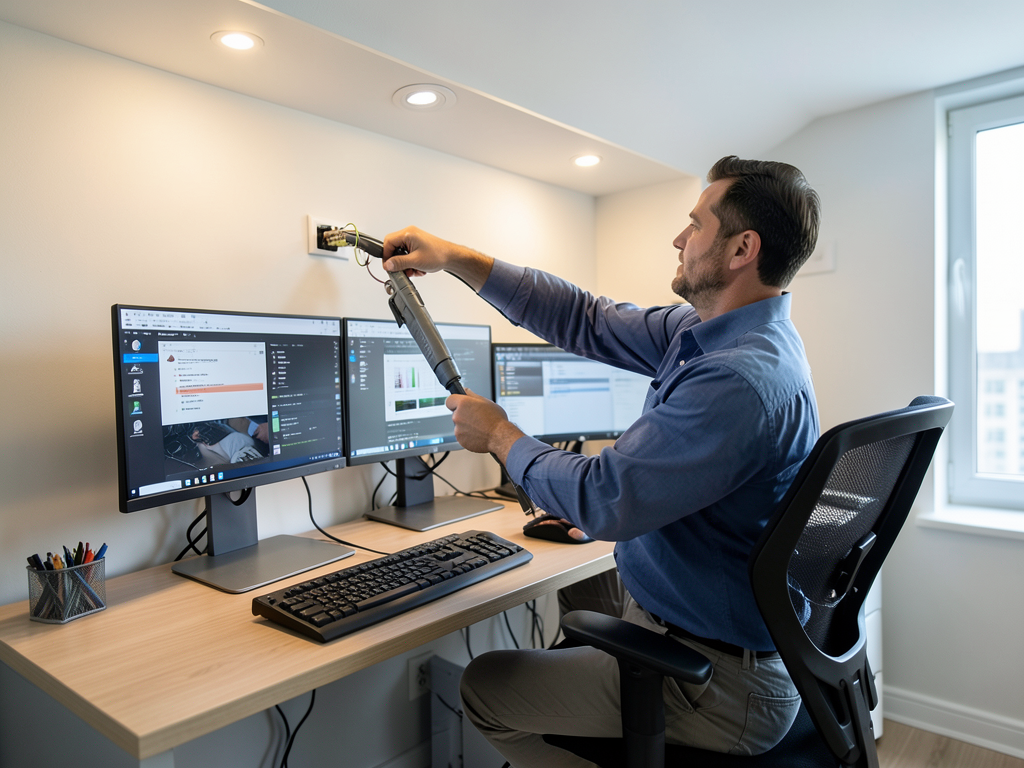
The Best Lighting Setup for a Productive and Professional Home Office in Westchase
Working from home in Westchase means creating a space that keeps you focused and energized throughout the day. The right lighting setup does more than brighten a room. It reduces eye strain, improves video call quality, and helps maintain your energy levels from morning meetings to late-night deadlines.
Westchase professionals face unique challenges. Many homes here were built in the 1990s and early 2000s with lighting designed for general living rather than dedicated workspaces. Older electrical panels may struggle with today’s power-hungry setups featuring multiple monitors, docking stations, and constant device charging. The intense Houston sun also creates glare and heat that can make a home office uncomfortable by midday. Protect Your Tech With Professional Whole House Surge Protection in Cypress.
Why Your Home Office Lighting Matters More Than You Think
Lighting directly impacts your work performance. Poor lighting causes headaches, reduces concentration, and creates unflattering shadows during video calls. Studies show that workers in well-lit environments complete tasks 20% faster and make fewer errors compared to those in dim spaces.
Your eyes work harder when light levels are inconsistent. They constantly adjust between your bright computer screen and darker surrounding areas, leading to fatigue. The right setup eliminates this battle by creating balanced illumination that matches your screen’s brightness.
Three-Layer Lighting Design for Maximum Productivity
Professional office lighting uses three distinct layers working together. This approach creates depth, eliminates harsh shadows, and gives you control over your environment.
Ambient Lighting – Your Foundation
Ambient lighting provides overall illumination for your space. Recessed LED fixtures work best because they distribute light evenly without taking up visual space. For a typical Westchase home office of 120-150 square feet, you need fixtures that produce 2,000-3,000 lumens total.
Position recessed lights in a grid pattern, spacing them 4-6 feet apart depending on ceiling height. This prevents dark corners and creates uniform light distribution. Many Westchase homes have 9-10 foot ceilings, which allows for wider spacing than standard 8-foot ceilings.
Task Lighting – Focused Illumination
Task lighting targets specific work areas where you need concentrated light. A desk lamp with an adjustable arm provides 500-800 lumens directly on your keyboard and paperwork. LED desk lamps with color temperature adjustment let you switch between cool light for detailed work and warmer light for video calls. The Top Rated Licensed Electricians Serving the River Oaks Area.
Under-cabinet LED strips work well for built-in desk setups common in Westchase homes. These slim fixtures mount beneath shelves and provide shadow-free light exactly where you need it without cluttering your workspace.
Accent Lighting – Professional Polish
Accent lighting adds depth and creates a professional atmosphere for video calls. Wall sconces or picture lights highlight artwork and architectural features. LED strip lighting behind monitors or along shelves creates a soft glow that reduces the harsh contrast between your screen and the surrounding room.
This layer matters most for video conferencing. It eliminates the cave-like effect that makes you look unprofessional on camera and creates separation between you and your background.
Color Temperature and Brightness for Work Performance
Color temperature affects your alertness and mood. For home offices, 3000K-4000K provides the ideal balance. This range appears crisp and clean without the harsh blue light of 5000K+ that can disrupt sleep patterns if you work late.
Brightness needs vary by task. Reading printed documents requires 300-500 lux on your work surface. Computer work needs 200-300 lux to prevent screen glare. Video calls benefit from 400-500 lux on your face to eliminate shadows and create a professional appearance.
CRI or Color Rendering Index also matters. For video calls and color-sensitive work, choose fixtures with CRI 90+ to ensure colors appear natural and accurate on camera.
Smart Controls for Modern Home Offices
Smart lighting systems transform your workspace. Lutron Caséta and similar systems let you control brightness and color temperature from your phone or voice commands. Set different scenes for morning focus, afternoon video calls, and evening wrap-up.
Motion sensors in home offices save energy by turning lights off when you step away for meetings. They also eliminate the frustration of walking into a dark room with your hands full of coffee and files.
Dimmer switches give you precise control over light levels throughout the day. Start with bright, cool light in the morning and gradually transition to warmer, dimmer settings as the day progresses to match your natural circadian rhythm.
Electrical Requirements for Today’s Home Offices
Modern home offices demand more power than most Westchase homes were designed to provide. A typical setup with dual monitors, a docking station, printer, and multiple chargers draws 400-600 watts continuously. Add a space heater in winter or a fan in summer, and you’re pushing 1,000 watts. How to Get a Tesla Home Charger Installed in Katy Without the Stress.
Older homes often have 15-amp circuits shared between multiple rooms. This creates a dangerous situation where your office equipment competes with kitchen appliances or living room electronics for power. Dedicated 20-amp circuits for your office prevent tripped breakers and potential fire hazards. Three-Phase Power Services.
Surge protection becomes critical with expensive equipment. Whole-house surge protectors installed at your main panel shield your computers and monitors from lightning strikes and power grid fluctuations common during Houston thunderstorms. Electrical Houston.
Video Conferencing Lighting Setup
Video calls require specific lighting techniques to look professional. Position a key light source at 45 degrees to your face to create dimension and eliminate shadows. A ring light or softbox provides even illumination without harsh highlights.
Backlighting prevents the silhouette effect that occurs when your background is brighter than your face. LED strips behind your monitor or a small lamp behind you create separation and depth in your video frame.
Avoid overhead lighting that creates shadows under your eyes and chin. Instead, combine side lighting with fill light to create a balanced, flattering look that projects competence and confidence.
Managing Houston’s Natural Light
Houston’s intense sunlight creates both opportunities and challenges for home offices. Large windows provide free daylight but also cause glare, heat gain, and UV damage to furniture and equipment.
Cellular shades or solar shades block UV rays while maintaining outside views. These reduce heat gain by 80% compared to uncovered windows, lowering cooling costs during Houston’s long summers.
Position your desk perpendicular to windows rather than facing them directly. This prevents glare on your screen while still providing natural light benefits. Use adjustable blinds to control light levels throughout the day as the sun moves across your office.
Electrical Safety in Older Westchase Homes
Many Westchase homes built before 2000 have aluminum wiring or outdated 60-amp electrical panels. These systems cannot safely handle modern office equipment loads and pose fire risks.
Aluminum wiring expands and contracts with temperature changes, loosening connections over time. This creates hot spots that can ignite surrounding materials. A licensed electrician can identify aluminum wiring and recommend safe replacement options.
Outdated panels lack the capacity for today’s power demands. Upgrading to a 200-amp panel provides the foundation for dedicated office circuits, whole-house surge protection, and future smart home additions.
Cost Factors for Professional Office Lighting Installation
Professional lighting installation costs vary based on your existing electrical infrastructure. Basic upgrades with new fixtures and switches typically range from $1,500-$3,000. Complete electrical panel upgrades add $2,000-$4,000 to the project.
Smart lighting controls increase costs by $500-$1,500 depending on the system complexity. However, they often pay for themselves through energy savings and improved productivity within two years.
Older homes may require additional work to meet current electrical codes. This includes replacing worn wiring, adding ground fault protection, and ensuring proper circuit loading. These safety upgrades are non-negotiable and protect your investment in office equipment.
Timeline for Professional Installation
Most home office lighting projects complete in 2-3 days. The first day involves assessment, planning, and any necessary electrical panel work. The second day focuses on fixture installation and wiring. The third day covers final connections, testing, and smart system setup.
Complex projects requiring panel upgrades or extensive rewiring may take 4-5 days. Your electrician should provide a detailed timeline and daily work schedule before starting any work.
Frequently Asked Questions
What’s the best color temperature for a home office?
3000K-4000K provides the ideal balance of alertness and comfort. This range appears crisp and clean without the harsh blue light of higher temperatures that can disrupt sleep patterns.
How many lumens do I need for my home office?
A typical home office needs 2,000-3,000 lumens of ambient light plus 500-800 lumens of task lighting at your desk. This ensures even illumination without dark spots or harsh shadows.
Can I install smart lighting in an older home?
Yes, smart lighting works in older homes but may require electrical upgrades first. Many pre-2000 homes need panel upgrades and dedicated circuits before adding smart controls safely.
How do I prevent glare on my computer screen?
Position your desk perpendicular to windows and use indirect lighting. Avoid placing bright lights directly behind or in front of your screen. Use blinds or shades to control natural light throughout the day.
Is it worth upgrading my electrical panel for a home office?
If your home is over 20 years old or has a 60-amp panel, upgrading is essential for safety and performance. Modern offices require dedicated circuits and surge protection that older panels cannot provide.
Ready to Transform Your Home Office?
Your home office deserves professional lighting that enhances productivity and protects your equipment. Don’t let outdated electrical systems limit your work performance or create safety hazards in your Westchase home.
Titan Electricians Houston specializes in home office lighting design and installation for Westchase professionals. We understand the unique electrical challenges of Houston’s older homes and provide solutions that meet your specific work needs.
Call us today at (281) 552-7811 to schedule your free home office lighting consultation. We’ll assess your current setup, identify electrical safety concerns, and design a lighting system that helps you work better and safer.
Don’t wait until electrical problems disrupt your workday or damage your expensive equipment. Contact Titan Electricians Houston now and take the first step toward a more productive, professional home office environment. For more information, visit U.S. Department of Energy home office design guide. For more information, visit National Electrical Contractors Association.
{
“@context”: “https://schema.org”,
“@type”: “BlogPosting”,
“headline”: “The Best Lighting Setup for a Productive and Professional Home Office in Westchase”,
“description”: “Discover the best home office lighting setup for productivity and professionalism in Westchase. Learn layered lighting design, smart controls, and electrical safety.”,
“wordCount”: 1722,
“datePublished”: “2026-06-10T14:08:00.000Z”,
“dateModified”: “2026-06-10T14:08:00.000Z”,
“inLanguage”: “en-US”,
“mainEntityOfPage”: {
“@type”: “WebPage”,
“@id”: “https://titanelectricianshouston.com”
},
“publisher”: {
“@type”: “LocalBusiness”,
“name”: “Titan Electricians Houston”,
“url”: “https://titanelectricianshouston.com”
},
“author”: {
“@type”: “Organization”,
“name”: “Titan Electricians Houston”,
“url”: “https://titanelectricianshouston.com”
},
“image”: {
“@type”: “ImageObject”,
“url”: “https://titanelectricianshouston.com/wp-content/uploads/2026/03/the-best-lighting-setup-for-a-productive-and-profe-1.png”
}
}
{
“@context”: “https://schema.org”,
“@type”: “Electrician”,
“name”: “Titan Electricians Houston”,
“url”: “https://titanelectricianshouston.com”,
“address”: {
“@type”: “PostalAddress”,
“addressLocality”: “Houston”
},
“areaServed”: {
“@type”: “City”,
“name”: “Houston”
}
}
{
“@context”: “https://schema.org”,
“@type”: “FAQPage”,
“mainEntity”: [
{
“@type”: “Question”,
“name”: “What’s the best color temperature for a home office?”,
“acceptedAnswer”: {
“@type”: “Answer”,
“text”: “3000K-4000K provides the ideal balance of alertness and comfort. This range appears crisp and clean without the harsh blue light of higher temperatures that can disrupt sleep patterns.”
}
},
{
“@type”: “Question”,
“name”: “How many lumens do I need for my home office?”,
“acceptedAnswer”: {
“@type”: “Answer”,
“text”: “A typical home office needs 2,000-3,000 lumens of ambient light plus 500-800 lumens of task lighting at your desk. This ensures even illumination without dark spots or harsh shadows.”
}
},
{
“@type”: “Question”,
“name”: “Can I install smart lighting in an older home?”,
“acceptedAnswer”: {
“@type”: “Answer”,
“text”: “Yes, smart lighting works in older homes but may require electrical upgrades first. Many pre-2000 homes need panel upgrades and dedicated circuits before adding smart controls safely.”
}
},
{
“@type”: “Question”,
“name”: “How do I prevent glare on my computer screen?”,
“acceptedAnswer”: {
“@type”: “Answer”,
“text”: “Position your desk perpendicular to windows and use indirect lighting. Avoid placing bright lights directly behind or in front of your screen. Use blinds or shades to control natural light throughout the day.”
}
},
{
“@type”: “Question”,
“name”: “Is it worth upgrading my electrical panel for a home office?”,
“acceptedAnswer”: {
“@type”: “Answer”,
“text”: “If your home is over 20 years old or has a 60-amp panel, upgrading is essential for safety and performance. Modern offices require dedicated circuits and surge protection that older panels cannot provide.”
}
},
{
“@type”: “Question”,
“name”: “Ready to Transform Your Home Office?”,
“acceptedAnswer”: {
“@type”: “Answer”,
“text”: “Your home office deserves professional lighting that enhances productivity and protects your equipment. Don’t let outdated electrical systems limit your work performance or create safety hazards in your Westchase home.”
}
}
]
}
{
“@context”: “https://schema.org”,
“@type”: “BreadcrumbList”,
“itemListElement”: [
{
“@type”: “ListItem”,
“position”: 1,
“name”: “Home”,
“item”: “https://titanelectricianshouston.com”
},
{
“@type”: “ListItem”,
“position”: 2,
“name”: “Blog”,
“item”: “https://titanelectricianshouston.com/blog”
},
{
“@type”: “ListItem”,
“position”: 3,
“name”: “The Best Lighting Setup for a Productive and Professional Home Office in Westchase”
}
]
}
{
“@context”: “https://schema.org”,
“@type”: “Service”,
“serviceType”: “Electricians”,
“provider”: {
“@type”: “LocalBusiness”,
“name”: “Titan Electricians Houston”,
“url”: “https://titanelectricianshouston.com”
},
“areaServed”: {
“@type”: “City”,
“name”: “Houston”
},
“description”: “Discover the best home office lighting setup for productivity and professionalism in Westchase. Learn layered lighting design, smart controls, and electrical safety.”
}